
Home/Product/Features
Features
The tools behind
every job.
Import, configure, dispatch, approve and report: the features your back office uses every day.
Features
From import
to approval.
Pick a feature to see how it works.
Import jobs and assets in bulk
Upload a spreadsheet of jobs or assets, map the columns, test, then import. Problems are caught before anything is created.
- Whole job lists and asset lists from Excel
- Map spreadsheet columns to job and asset fields
- Duplicates and missing dates are caught first
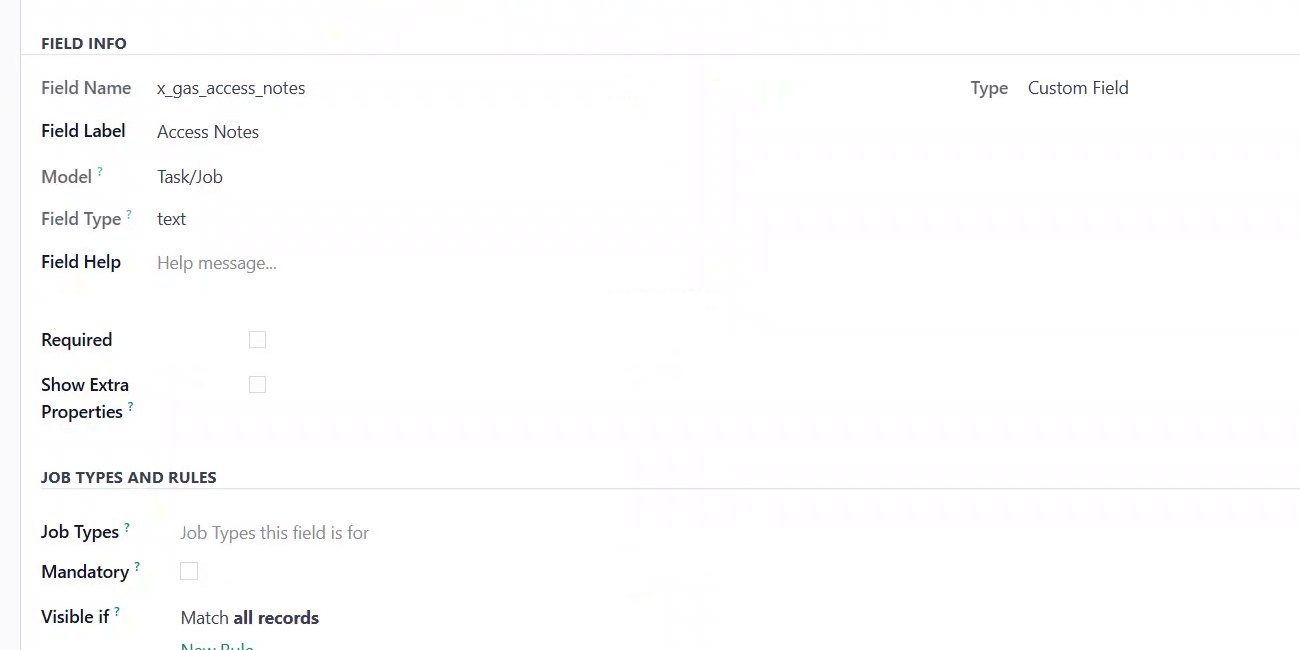
Add the fields your utility needs
Create a job field in the back office and decide which job types use it and when it shows. No code.
- Name, label and type for each field
- Limit a field to certain job types
- Make it mandatory, or visible only when a rule matches
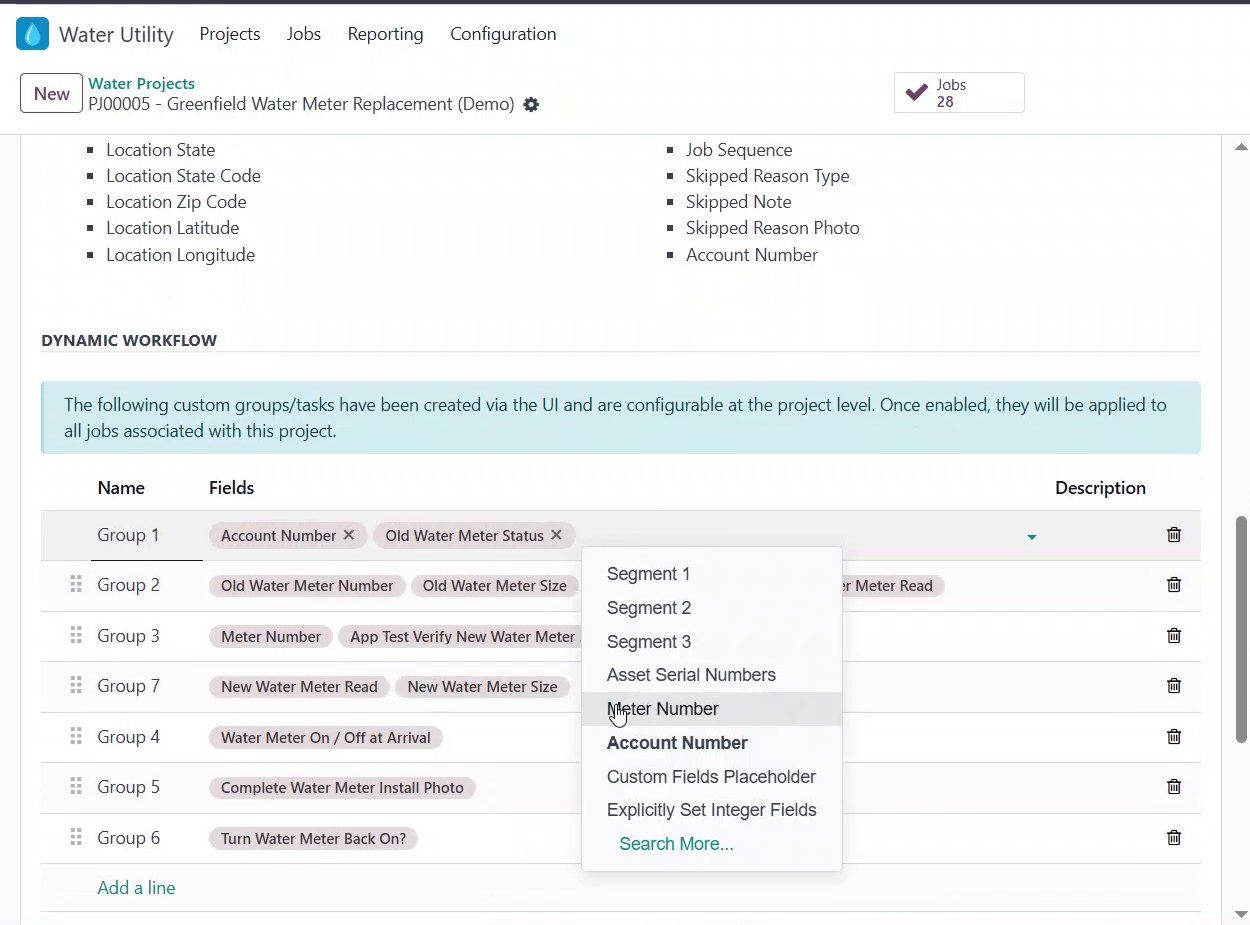
Build the form crews follow
Group job fields into steps. The app shows them in that order, only for this project.
- Groups such as Old meter, New meter or Safety checklist
- Pick the fields for each group from a list
- Reorder groups by drag and drop
Nothing completes without QC
Turn on the QC approval flow for a project and every job passes QC Approved or QC Rejected before Completed.
- One switch per project
- Approve, reject or reassign
- Every decision logged on the job
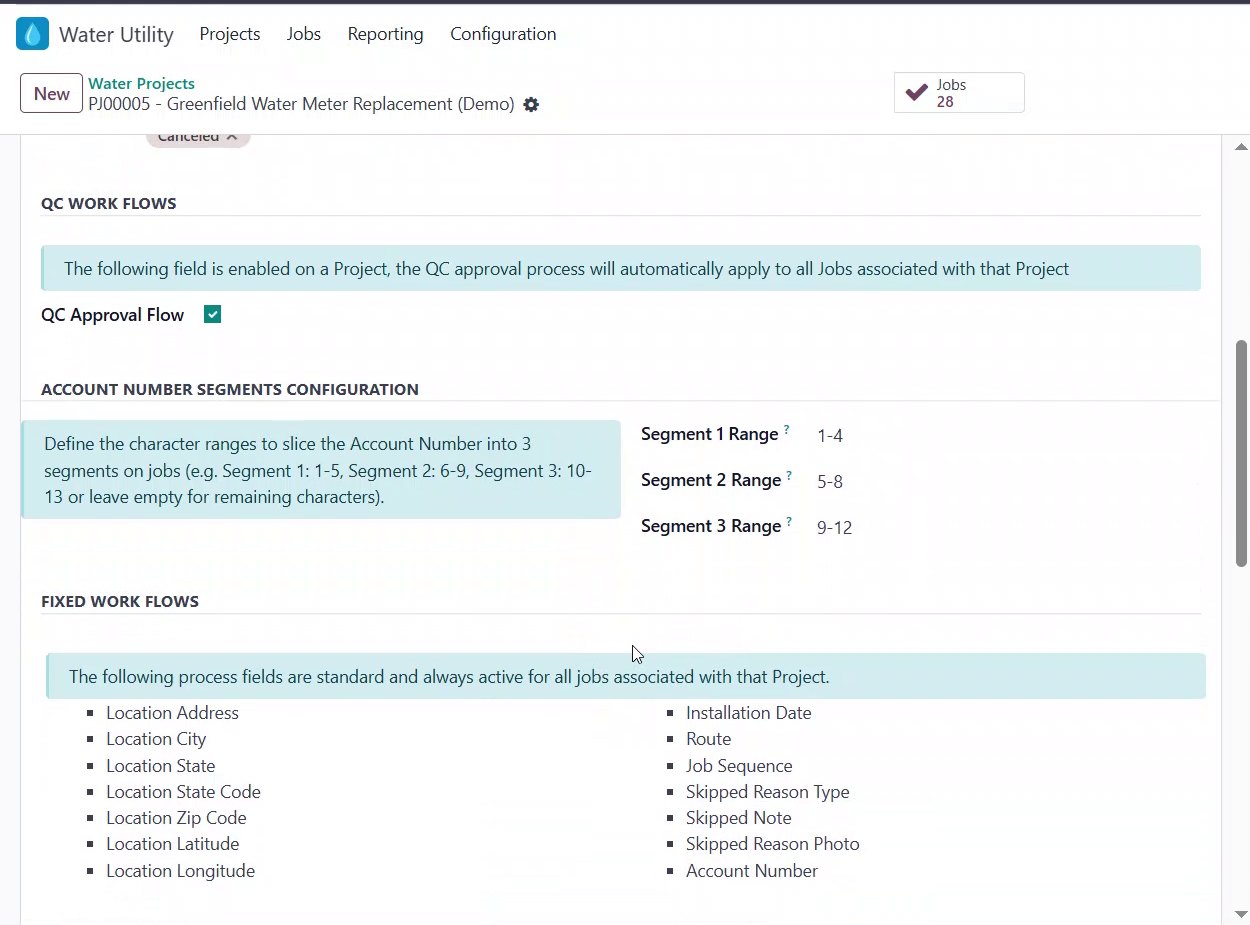
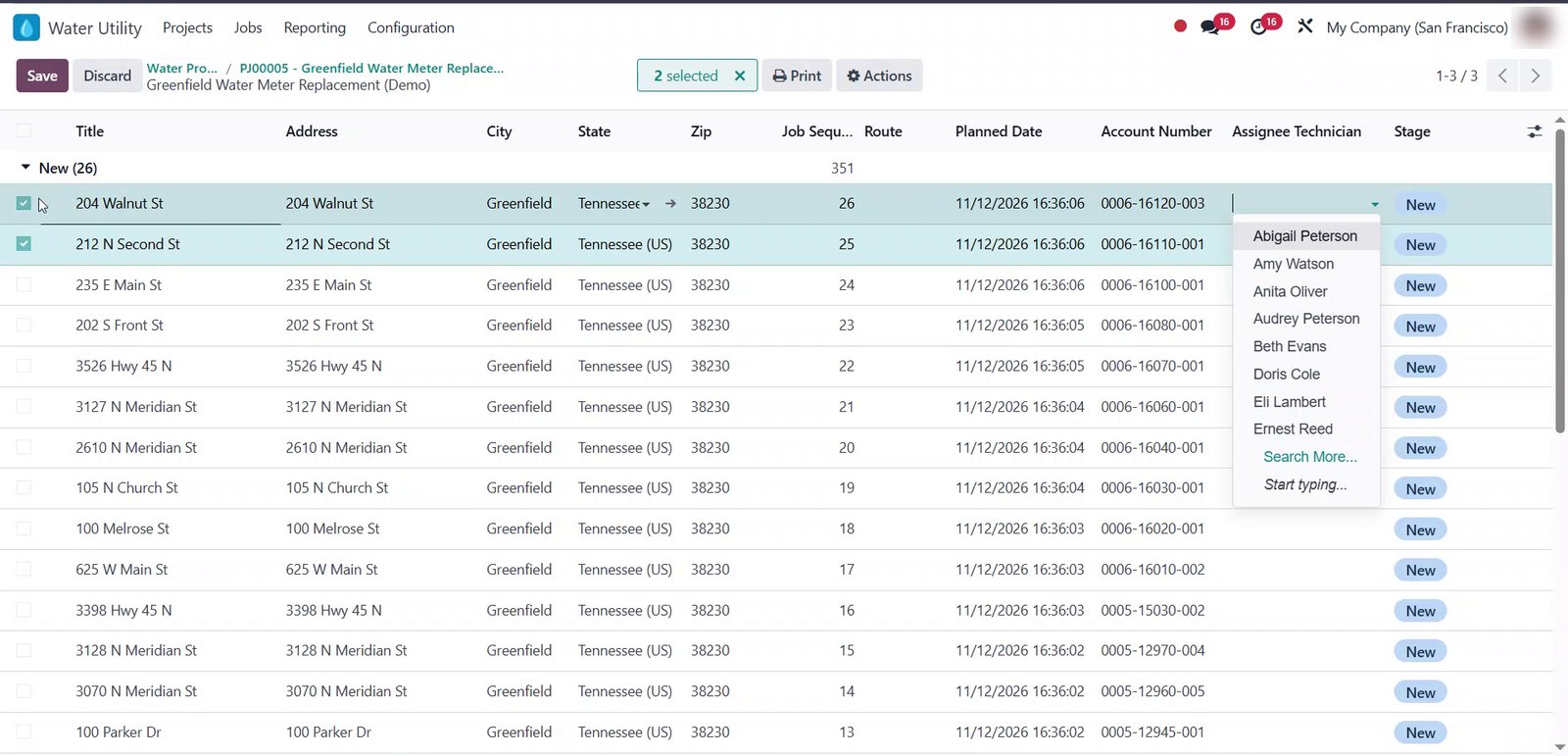
Assign many jobs at once
Select jobs in the list and set the technician, stage or planned date for all of them.
- Multi-select in the job list
- Technician, stage and planned date in one go
- The same from the manager app
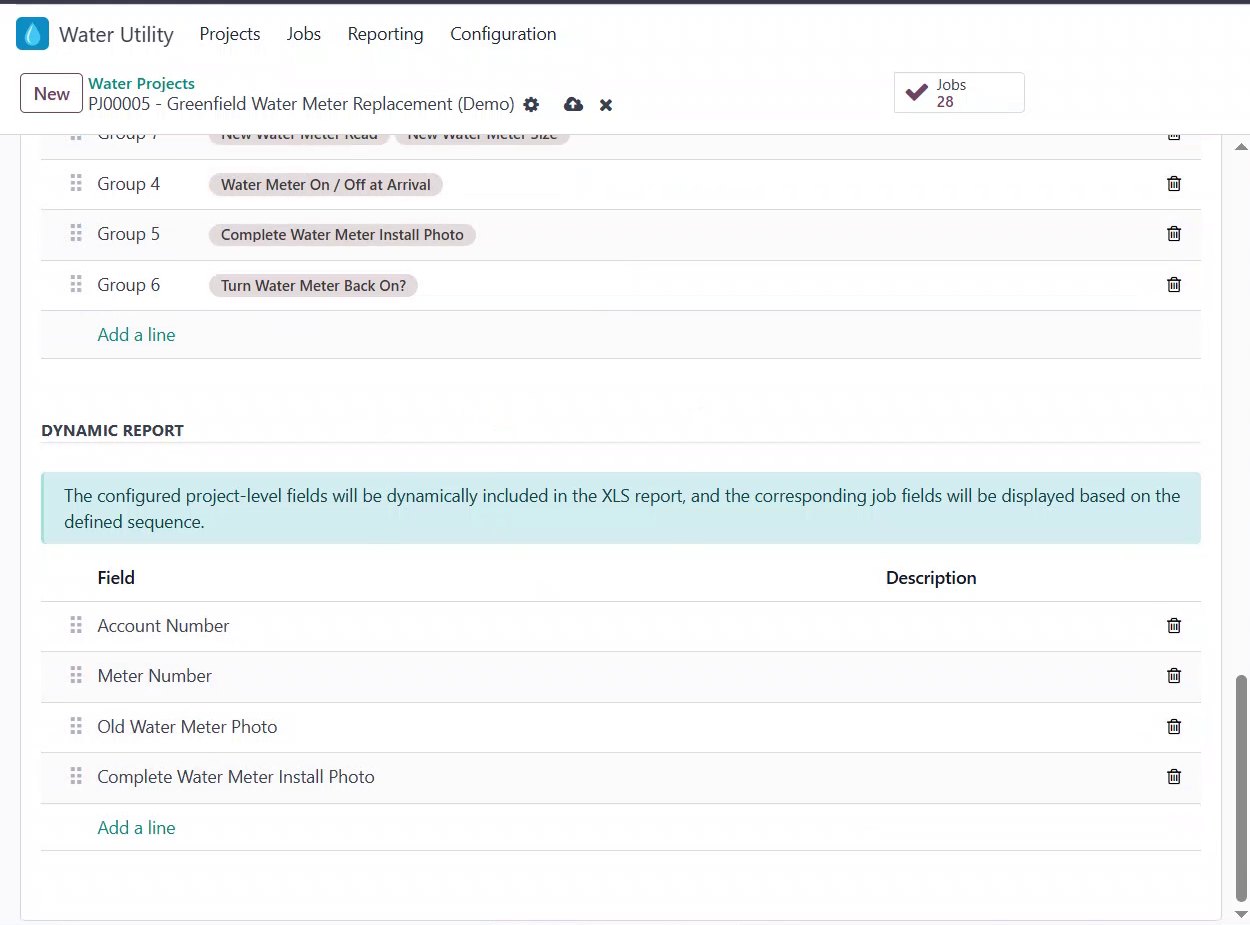
The report your customer expects
Choose which job fields go into the project XLS report and in which order.
- Report fields set per project
- Readings and photo fields included
- Same structure for every job
Everyone hears about changes
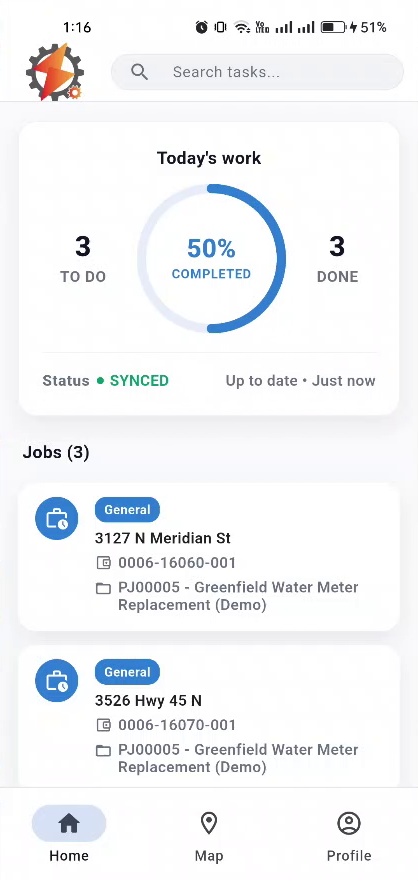
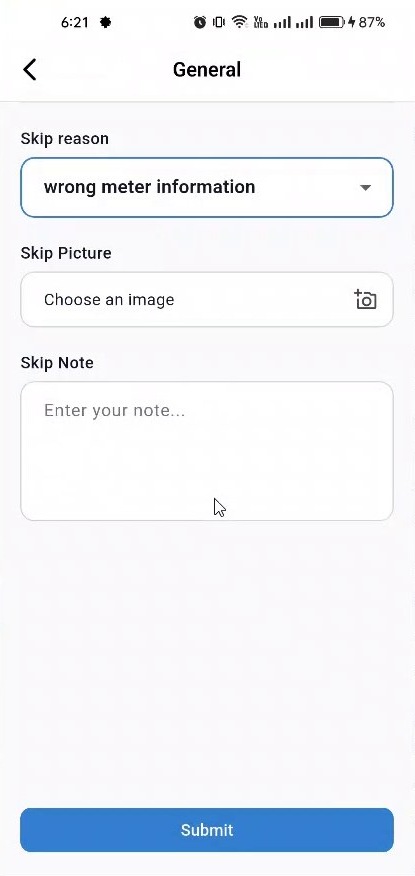
Technicians and managers get push notifications when jobs are assigned or skipped.
- Assigned jobs reach the technician right away
- Managers hear about skipped jobs
- Workflow actions logged on the job
Built for every utility
One platform.
Every utility.
Water, power, gas and renewable energy projects run on the same app and the same stages, each with its own fields.