
Home/Built for/QC & supervisors
For QC and supervisors
Every job checked
before it closes.
Review photos, readings and locations, then approve, reject or reassign. Nothing reaches Completed without QC.
How it works
Proof first,
then approval.
Everything the crew captured is on the job.
Nothing completes without QC
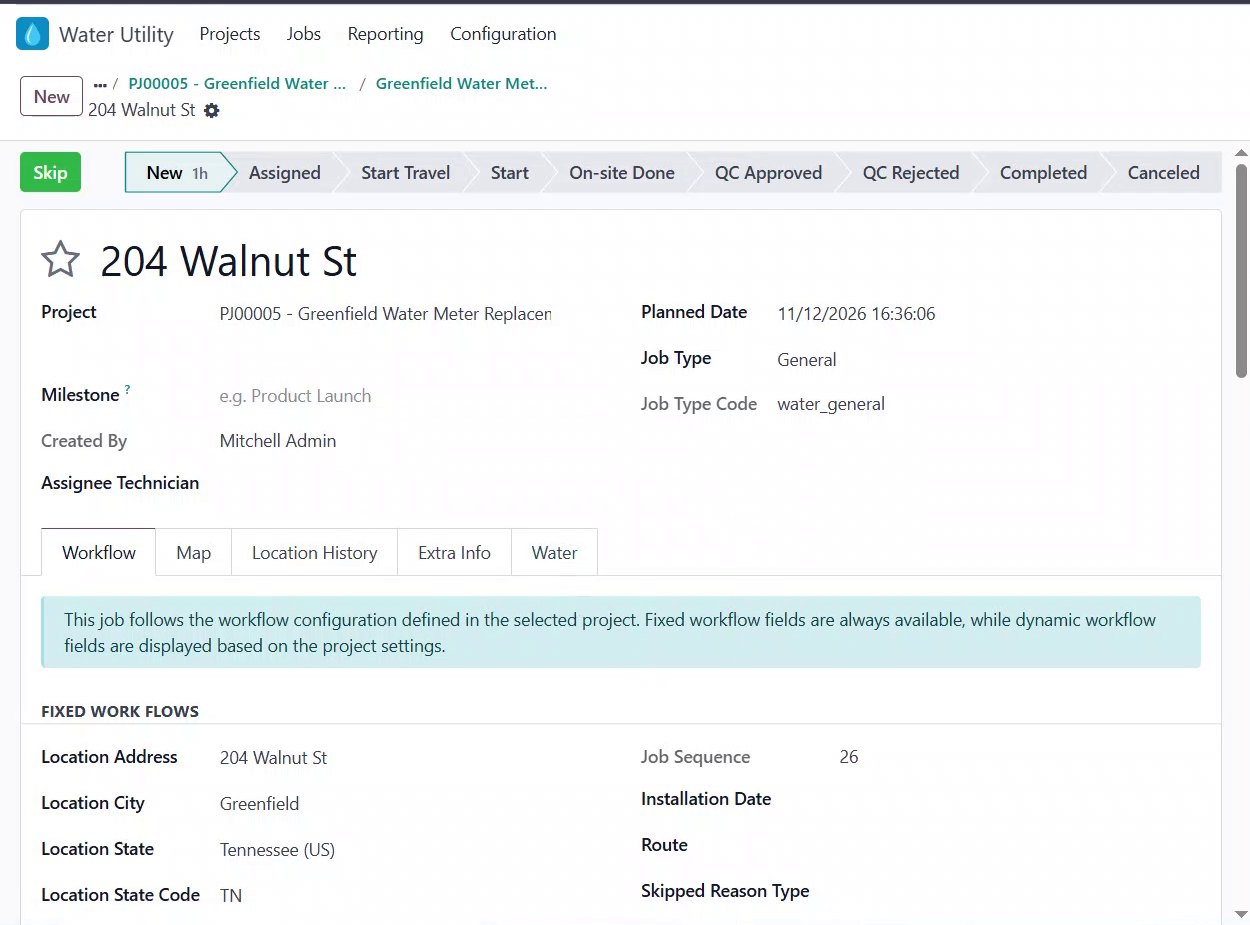
Turn on the QC approval flow for a project and every job passes QC Approved or QC Rejected before Completed.
- One switch per project
- Approve, reject or reassign
- Every decision logged on the job
Every job, fully traceable
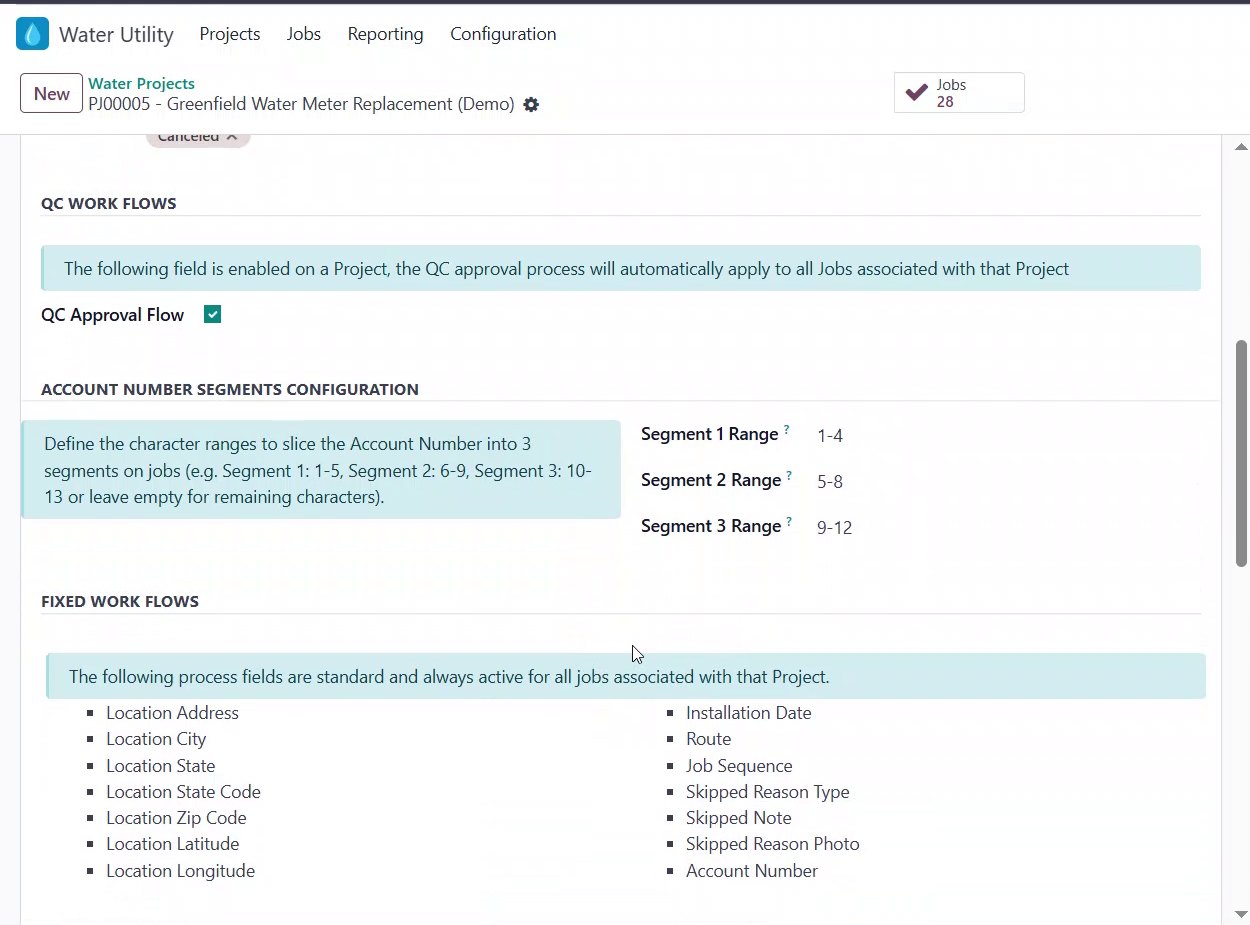
Each job shows its stage, the fixed fields, the project fields and the full history of changes.
- Stage bar from New to Completed, with Skip
- Workflow, map and location history tabs
- Every change logged on the job
Proof on every job
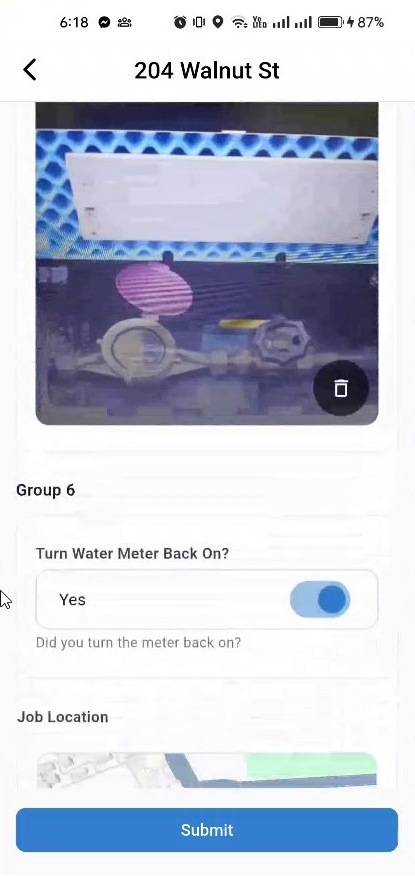
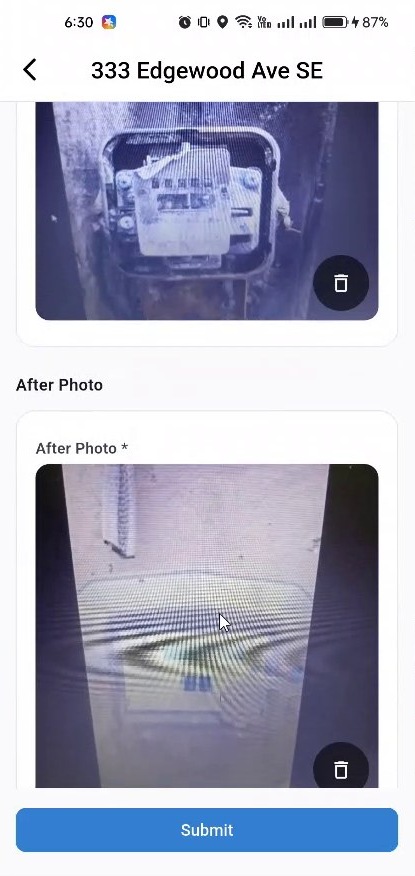
Photos are taken in the form and land on the job in the back office.
- Before and after photos
- Photos saved to the job history
- Questions like "meter turned back on?" in the same form
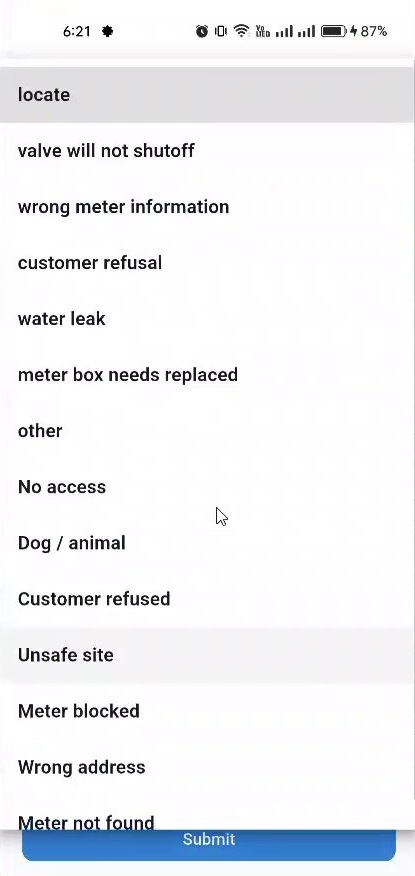
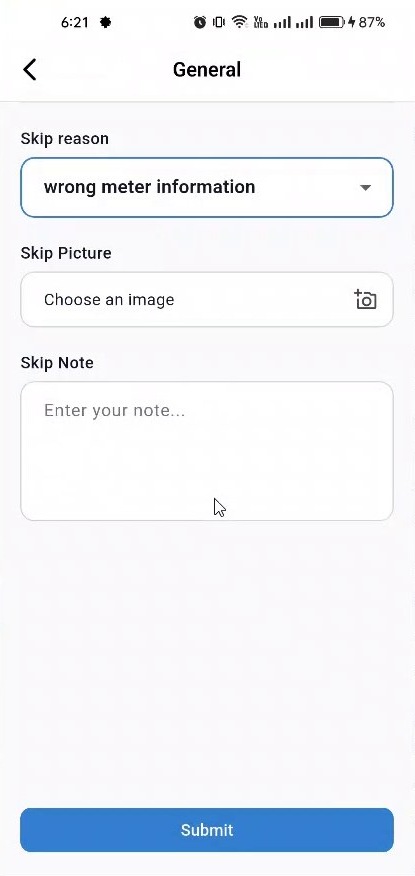
Review every skip
When a job cannot be done, the crew says why and moves on.
- Reasons like No access, Dog / animal or Unsafe site
- Add a photo and a note
- Managers are notified right away
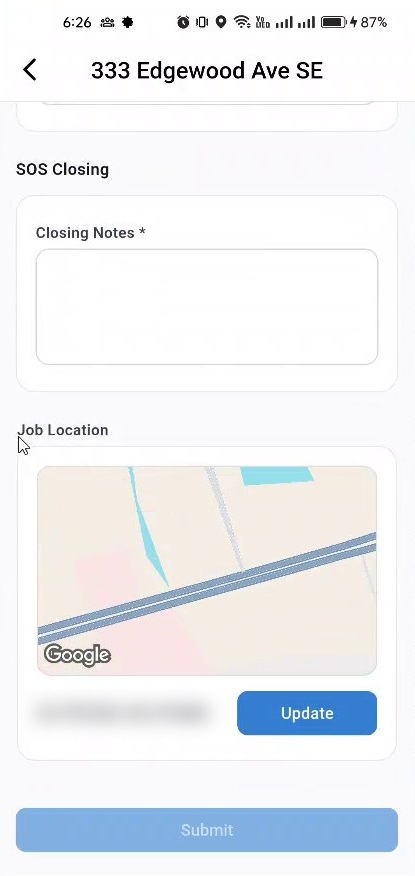
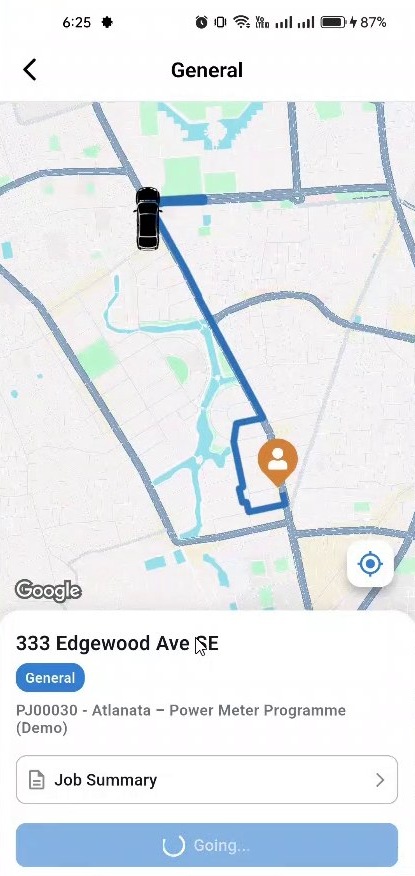
Where the work happened
Every job sits on the map, with directions to the next one.
- Map view of every job address
- Start or skip from the same job card
- GPS recorded on each stage change
The report your customer expects
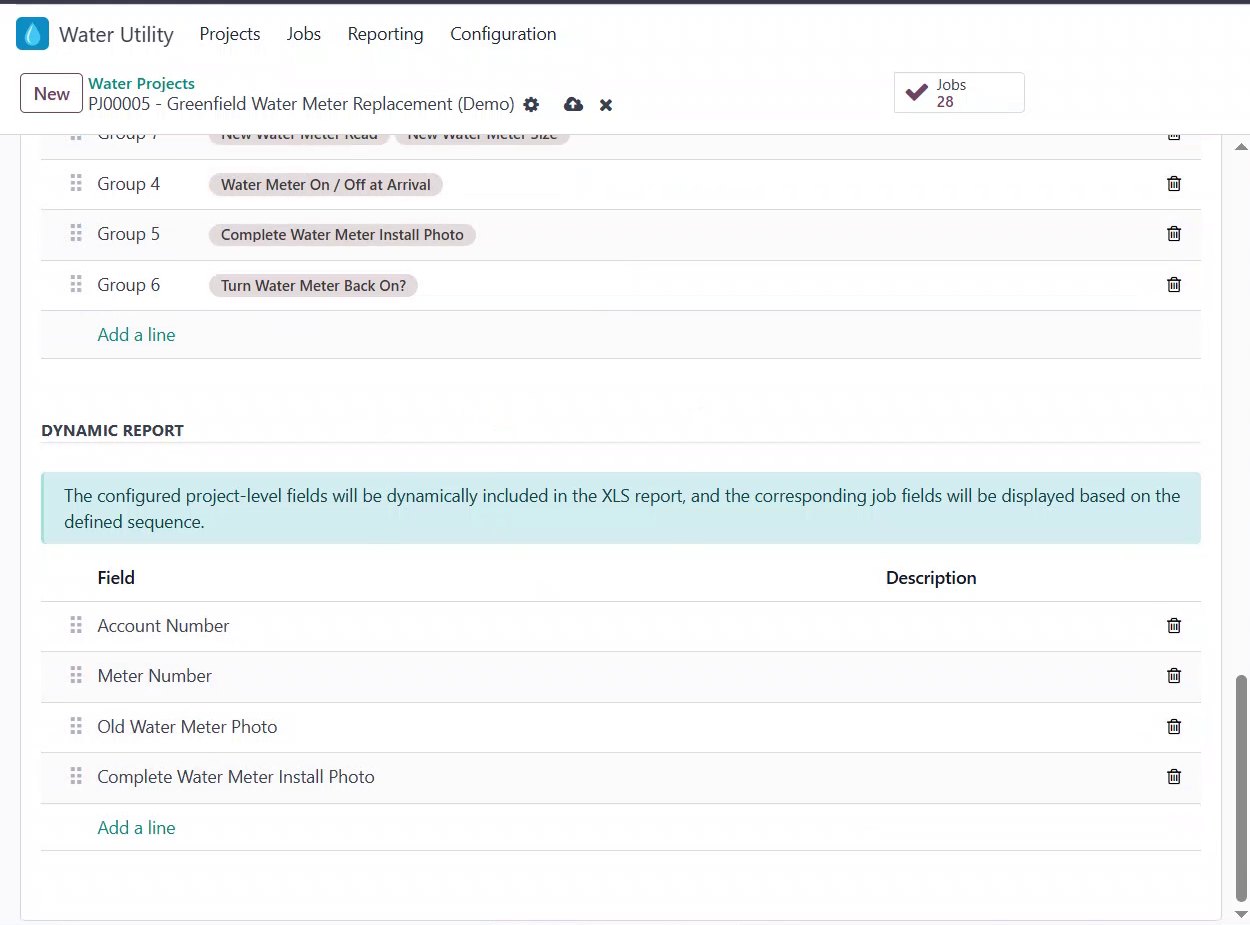
Choose which job fields go into the project XLS report and in which order.
- Report fields set per project
- Readings and photo fields included
- Same structure for every job
Questions
Questions and
answers.
What happens when QC rejects a job?
The job moves to QC Rejected and can be reassigned, so a crew goes back and fixes it.
Can QC be switched off for a project?
Yes. The QC approval flow is a setting on each project.
Is every decision recorded?
Yes. Stage changes, edits and approvals are logged on the job with who made them and when.
Built for every utility
One platform.
Every utility.
Water, power, gas and renewable energy projects run on the same app and the same stages, each with its own fields.