
Home/Built for/Technicians
For technicians
The app that helps
crews finish the job.
Their jobs for the day, the route, step-by-step forms and photo proof. Nothing they do not need.
How it works
A full shift
in a few taps.
Every stage change records GPS.
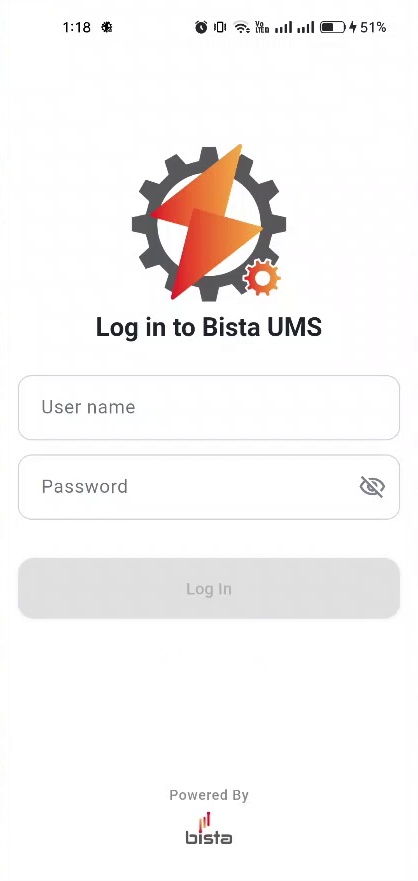
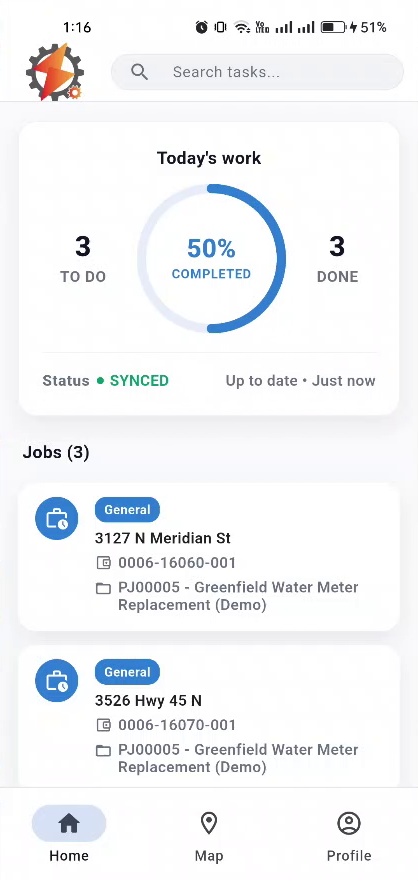
Start the day with your own jobs
Technicians sign in and see the work assigned to them, nothing else.
- Progress ring with to-do and done counts
- Only the jobs assigned to you
- Syncs as soon as there is signal
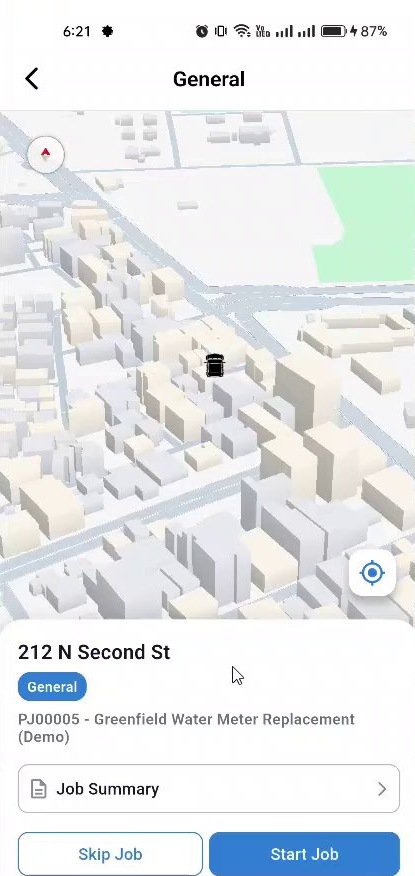
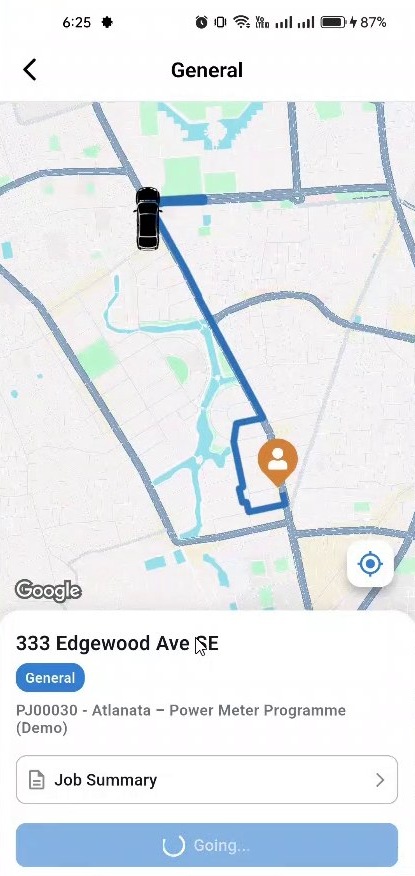
Get to every address
Every job sits on the map, with directions to the next one.
- Map view of every job address
- Start or skip from the same job card
- GPS recorded on each stage change
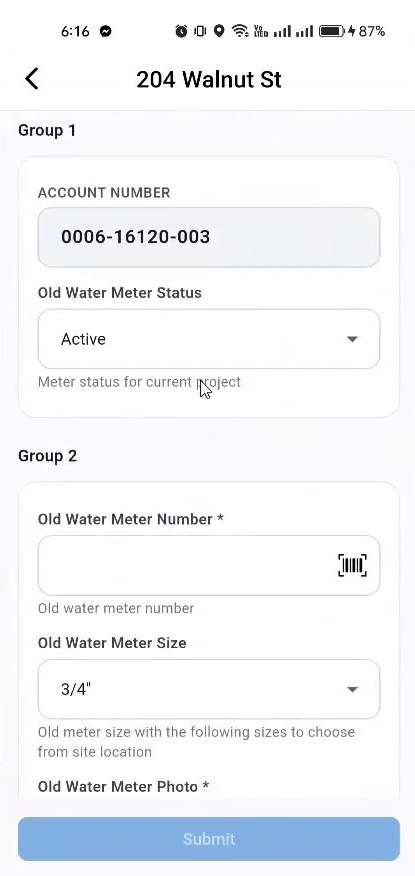
Forms that guide every step
The project decides which fields appear at each stage, grouped step by step.
- Account and meter details pre-filled
- Barcode scan for meter numbers
- Last-4-digit meter check before submit
Proof on every job
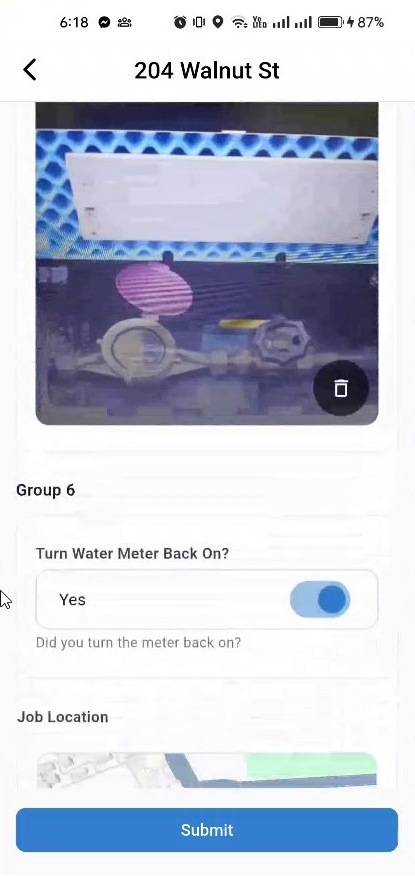
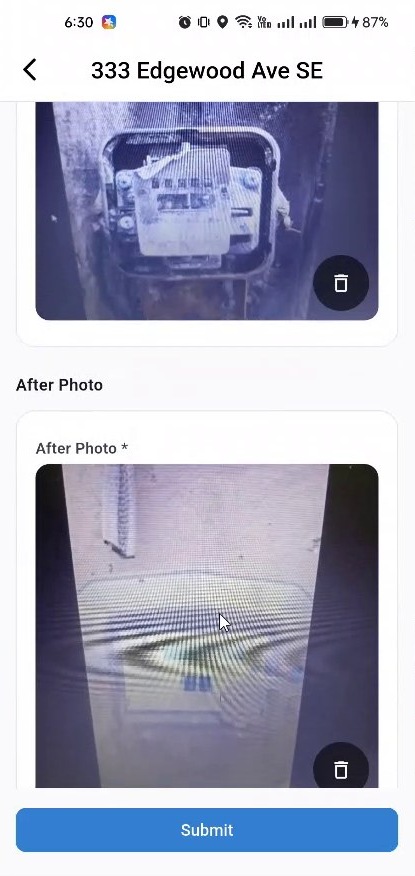
Photos are taken in the form and land on the job in the back office.
- Before and after photos
- Photos saved to the job history
- Questions like "meter turned back on?" in the same form
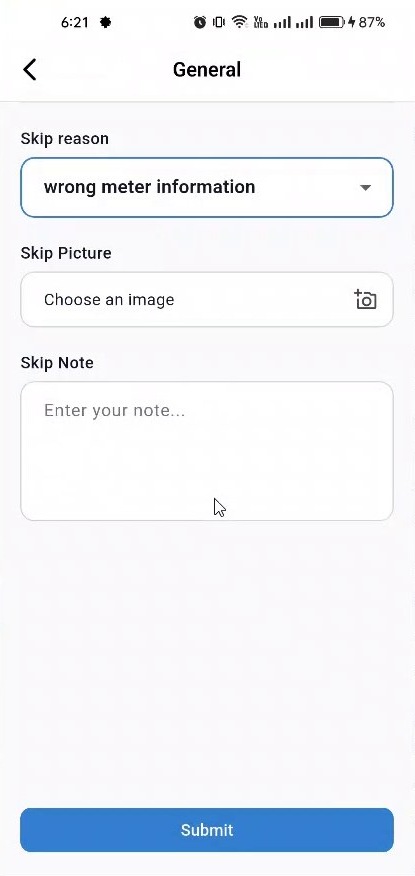
Skip without losing the job
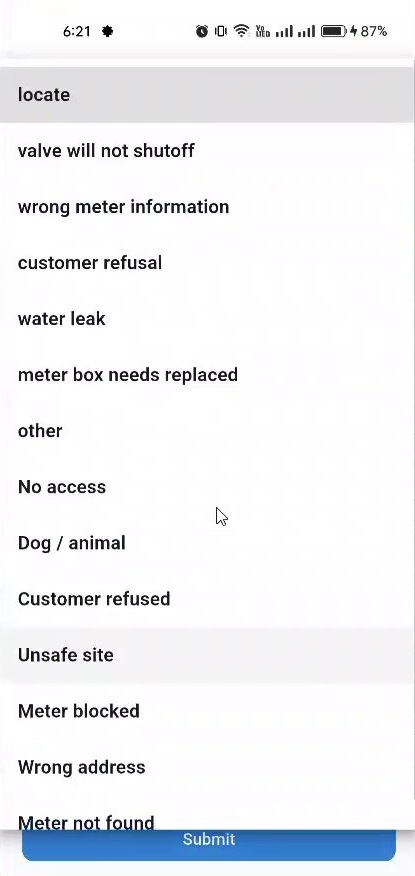
When a job cannot be done, the crew says why and moves on.
- Reasons like No access, Dog / animal or Unsafe site
- Add a photo and a note
- Managers are notified right away
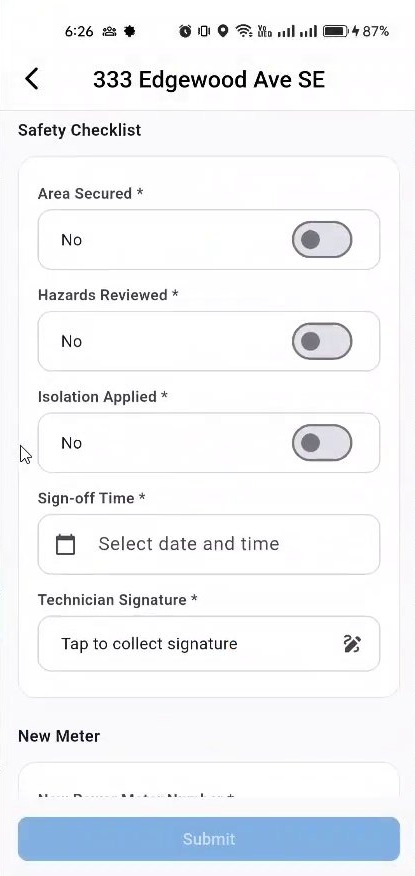
Safety before the work starts
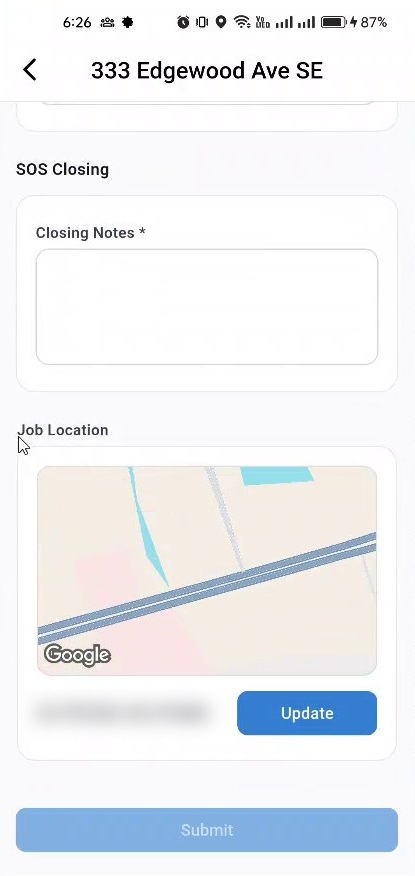
Power projects open with a safety checklist and close with the crew location.
- Area secured, hazards reviewed, isolation applied
- Technician signature and sign-off time
- SOS closing with the crew's GPS location
Questions
Questions and
answers.
Do technicians need to be online?
No. Jobs, forms and photos keep working without signal and sync as soon as there is a connection.
What does a technician see?
Only the jobs assigned to them, and only the fields their project needs at each stage.
What if a job cannot be done?
Skip it with a reason such as No access or Dog / animal, add a photo and a note. The manager is notified and the job can be picked up again later.
How is the work checked?
New meter numbers are checked against the last four digits, photos are taken in the form, and every stage change records GPS. QC reviews the job before it is completed.
Built for every utility
One platform.
Every utility.
Water, power, gas and renewable energy projects run on the same app and the same stages, each with its own fields.