
Home/Built for/Smart meter deployment
Specific solution
Smart meter rollouts,
meter by meter.
Run AMI meter exchange projects end to end: import the routes, exchange and verify every meter, handle skips and report to the utility.
How it works
From route list
to approved report.
Every meter exchange follows the same checked steps.
Import jobs and assets in bulk
Upload a spreadsheet of jobs or assets, map the columns, test, then import. Problems are caught before anything is created.
- Whole job lists and asset lists from Excel
- Map spreadsheet columns to job and asset fields
- Duplicates and missing dates are caught first
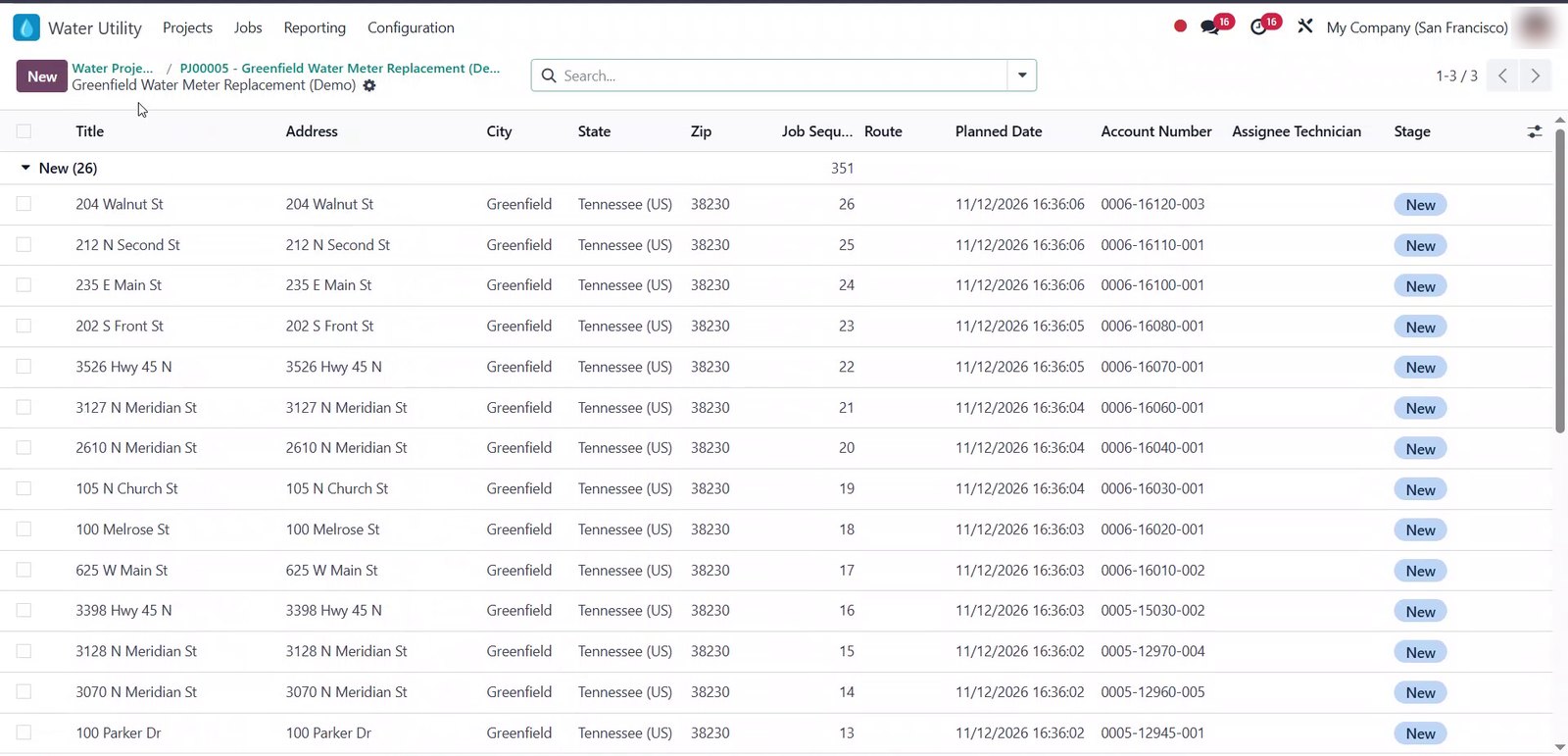
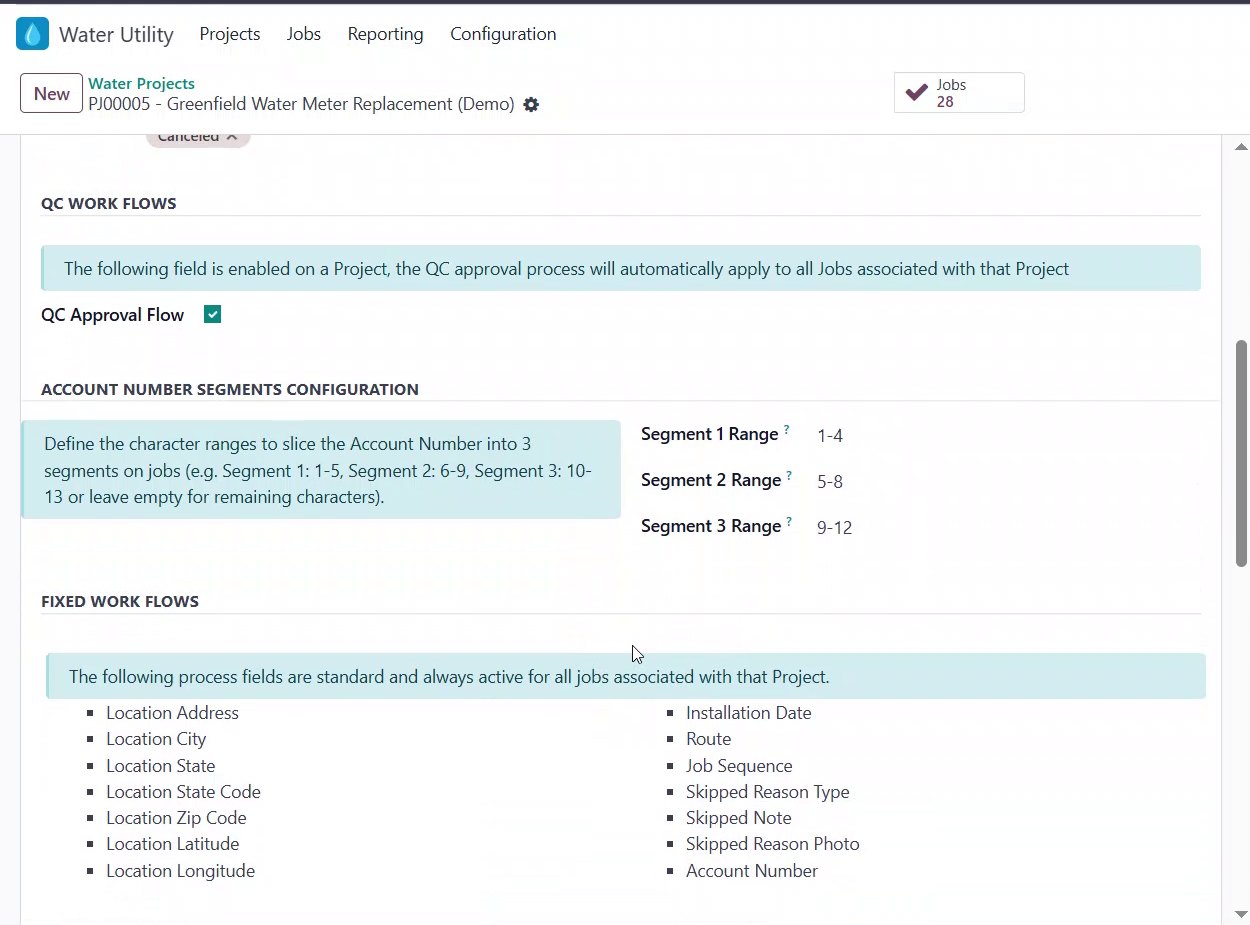
Account numbers that sort themselves
Split account numbers into segments, then sort and group jobs by route the way your utility works.
- Up to three segments per account number
- Sort jobs by sequence or segment
- Same rule for every job in the project
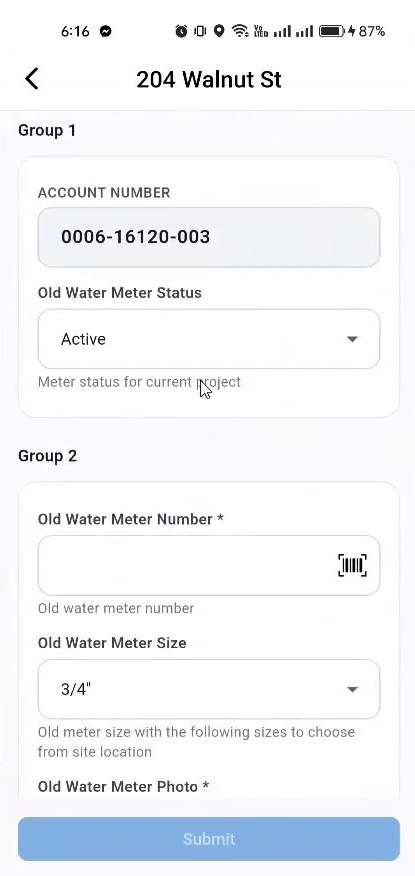
Exchange and verify
The project decides which fields appear at each stage, grouped step by step.
- Account and meter details pre-filled
- Barcode scan for meter numbers
- Last-4-digit meter check before submit
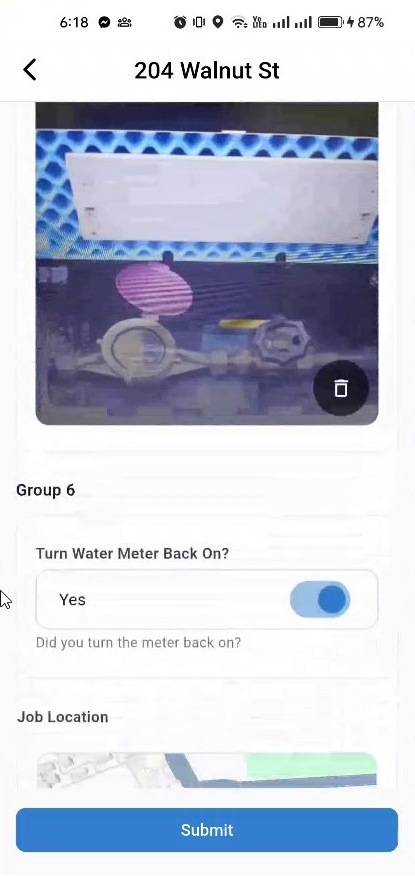
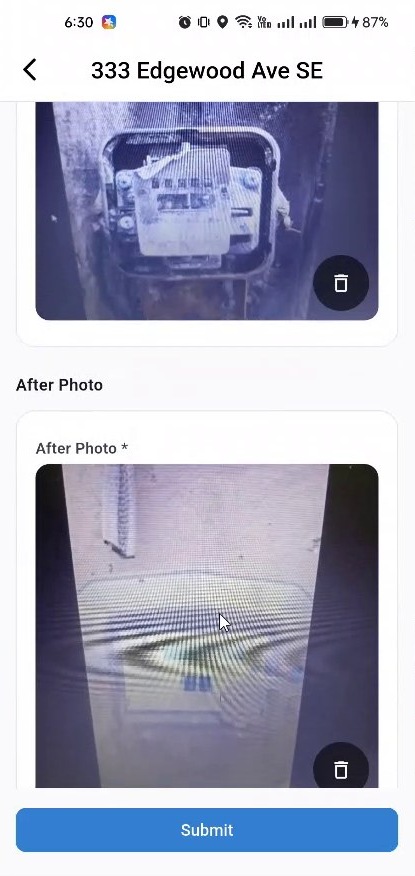
Proof on every job
Photos are taken in the form and land on the job in the back office.
- Before and after photos
- Photos saved to the job history
- Questions like "meter turned back on?" in the same form
Skip without losing the job
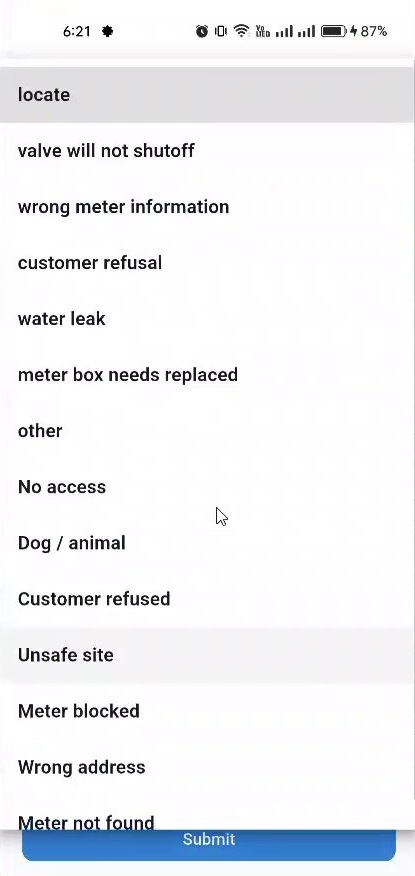
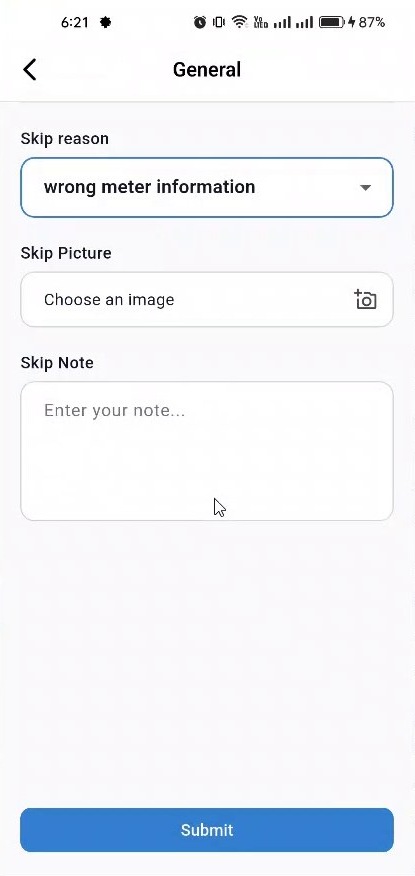
When a job cannot be done, the crew says why and moves on.
- Reasons like No access, Dog / animal or Unsafe site
- Add a photo and a note
- Managers are notified right away
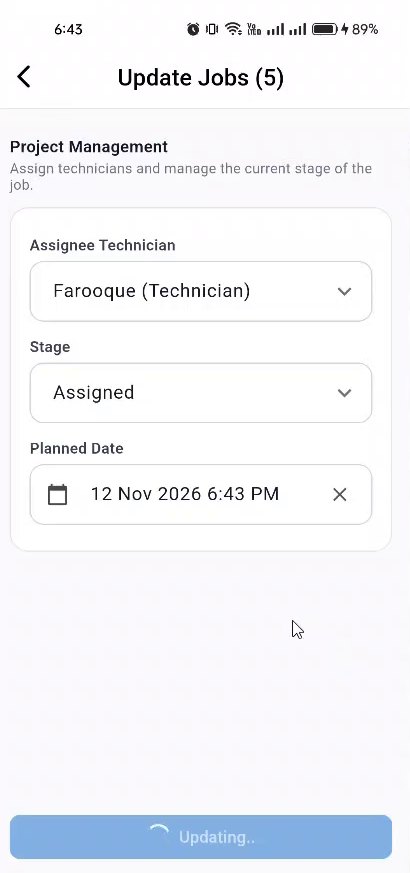
A control room in your pocket
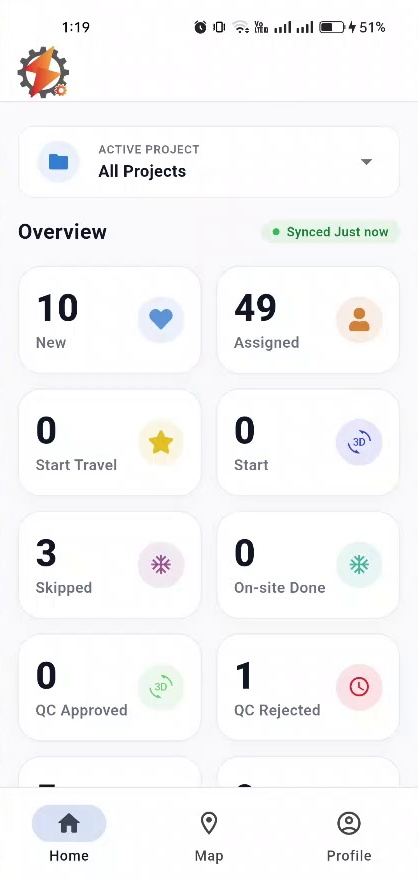
Project managers use the same app to follow and steer every project.
- Live stage counts for one project or all
- Search by account number, address or technician
- Bulk update technician, stage or planned date
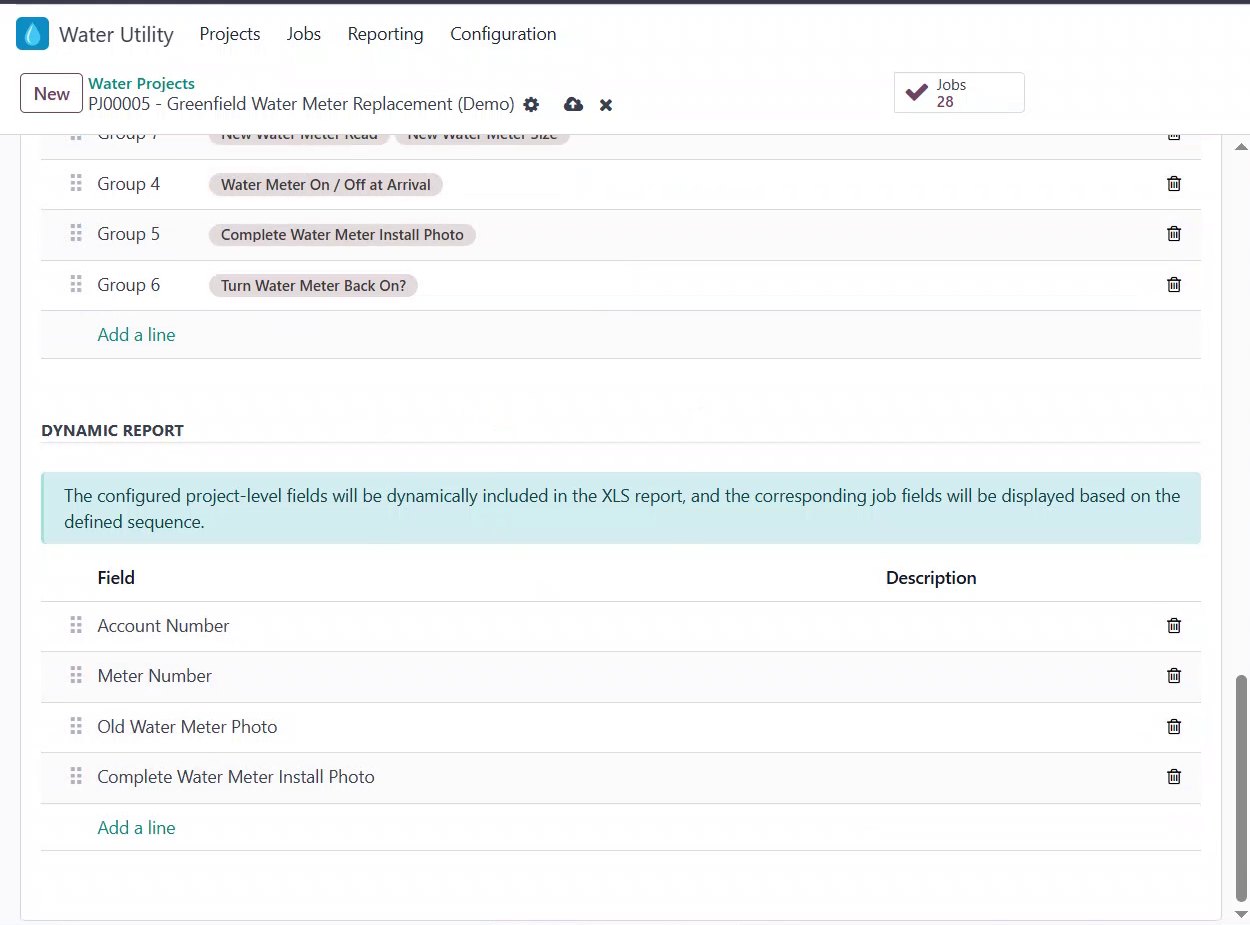
The report your customer expects
Choose which job fields go into the project XLS report and in which order.
- Report fields set per project
- Readings and photo fields included
- Same structure for every job
Questions
Questions and
answers.
How are routes and meters loaded?
Import the job and asset lists from Excel. Account numbers can be split into segments to sort jobs by route.
How do you avoid wrong meter numbers?
The app checks the new meter number against its last four digits before the job can be submitted.
What happens with jobs crews cannot access?
They are skipped with a reason, photo and note, so they can be planned again.
Built for every utility
One platform.
Every utility.
Water, power, gas and renewable energy projects run on the same app and the same stages, each with its own fields.